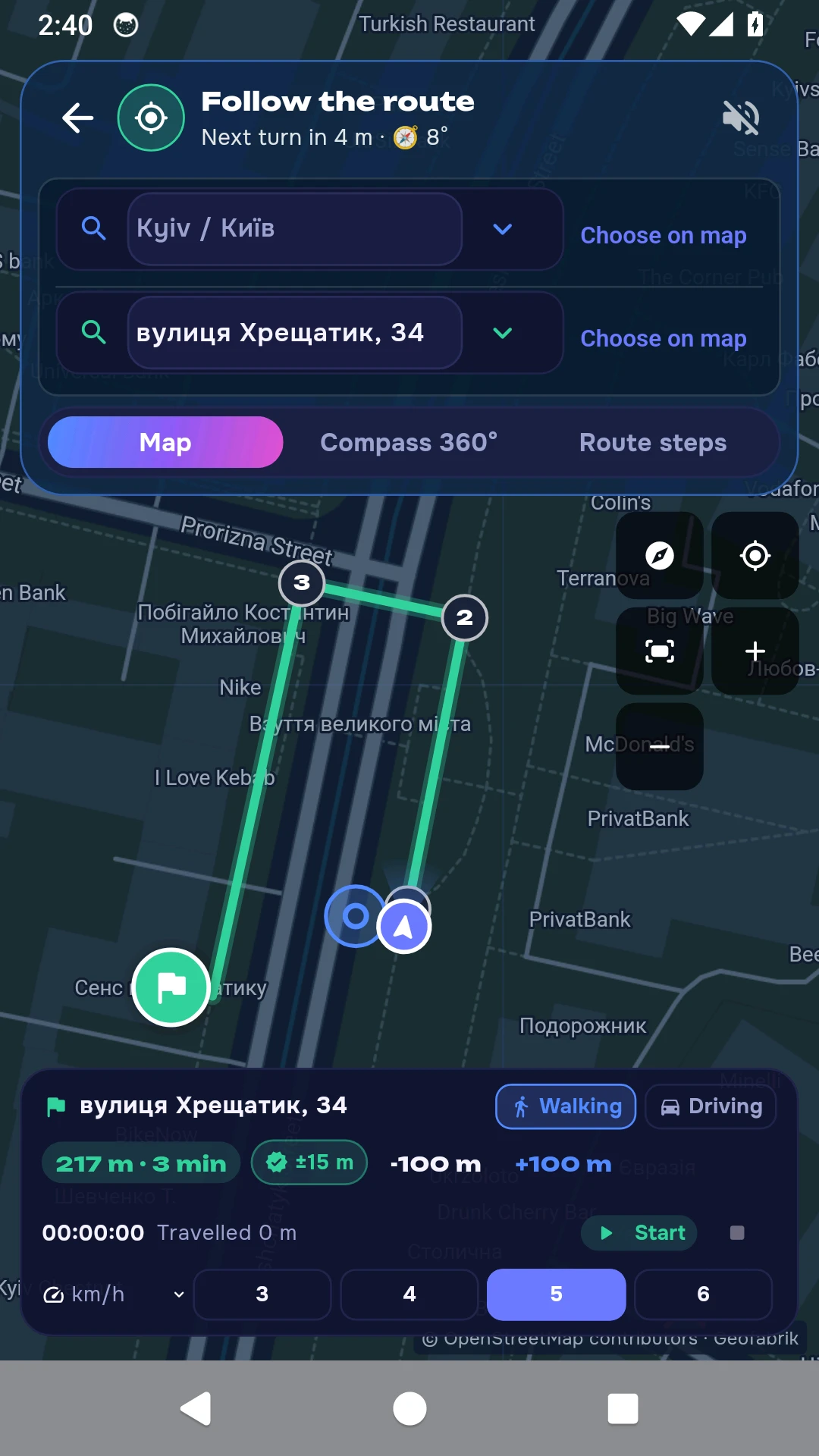
From a familiar place to your destination
Mark your location
Find an address or place a pin on the map. If GPS is unreliable, start at a location you can identify yourself.
Choose your destination
Search for an address, select a saved place or mark a destination on the map. Check the route and choose walking or driving.
Check your surroundings
The compass shows direction. Steps or a set speed help estimate distance travelled. Update your location at familiar junctions.
No GPS and no internet are different situations
Online maps
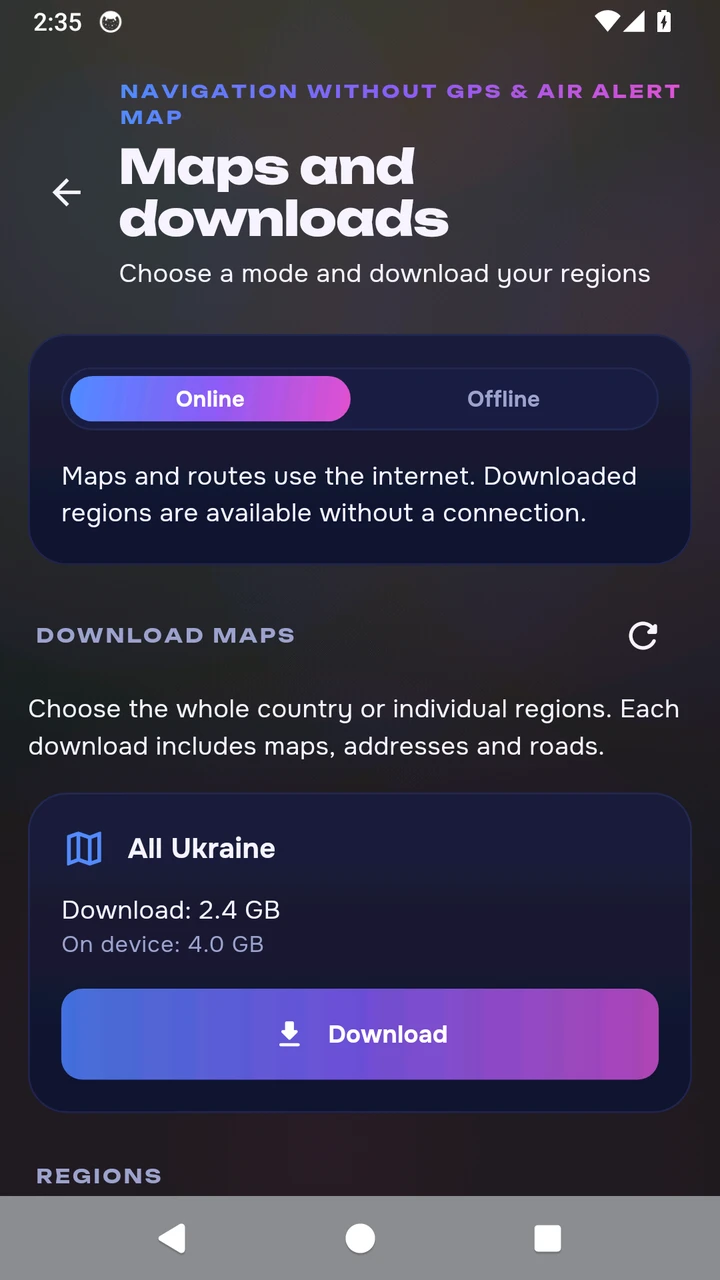
Enabled by default. Maps, address search and routing may use the internet. You do not need to download a large map package.
Maps on your device
Download a region or all Ukraine in advance. Each package contains a map, addresses and data for walking and driving routes. Select offline mode after the download finishes.
Prepare for this region
In the app, open More → Navigation and maps → Maps and downloads. Choose a region, wait for the download to finish and select offline mode.
Choose Dnipropetrovsk Oblast from the download list. Its package contains 485 786 address records; coverage depends on the available open mapping data. If an address is missing, place a pin on the map. For travel beyond this region, download every region along your route or all Ukraine.
Dnipropetrovsk Oblast
- Download
- 207.7 MB
- On your device
- 447.9 MB
Package sizes checked on 24 October 2026. Allow extra storage for installation and routes across regions. The app shows the current download size.
Check air alert information for this region
Compare other regional packages
Before your first trip
When will this feature be available?
The navigation without GPS described on this page will be available after App Store and Google Play approval and the release of the new app version. The stores currently offer the previous version.
Can I navigate without mobile internet?
Yes, in offline mode for downloaded maps. Prepare the required packages in advance: each includes maps, addresses and road data for calculating routes.
Does the app find my exact location without GPS?
No. You set the starting point, then movement is estimated using steps or speed. The compass helps with direction. Update your location manually at regular intervals.
Will new air alert notifications arrive without internet?
New messages and updated alert status require a connection. Downloaded maps do not contain the current air situation.
How do I prepare a route across several regions?
Download every region along the route or all Ukraine. Leave free storage and check your addresses and route before travelling.
Can I find a shelter?
You can choose an available map marker or a shelter you have saved. Data may be incomplete: check its entrance, access and suitability in advance.
Get the app
The stores currently offer the previous version.
For iPhone, iPad and Android. In Ukrainian and English.
Maps: © OpenStreetMap contributors. Navigation is a guide and does not replace checking conditions around you.