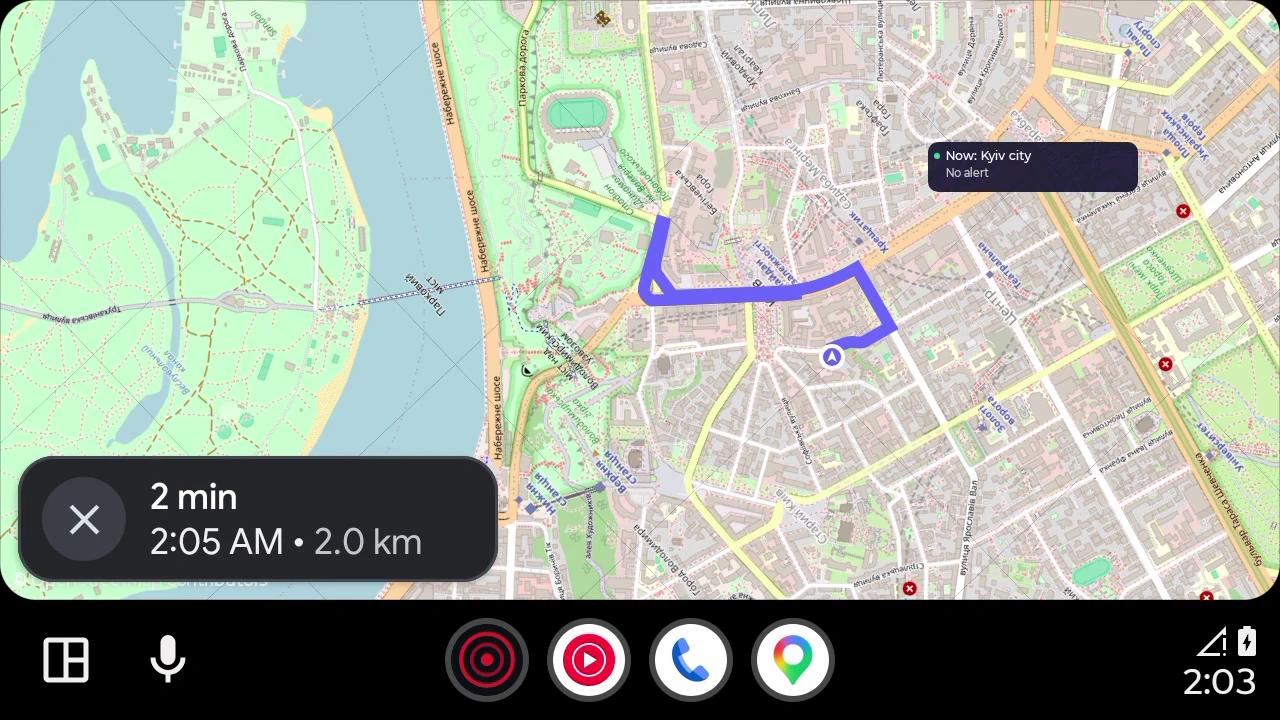
Need navigation without internet?
Prepare before driving
Save your start and destination
While parked, find an address or drop a pin. Confirm that your starting location is correct.
Download your maps
For travel without internet, prepare every region along the route and wait for installation to finish.
Open Android Auto
Connect a compatible phone to your car system and open the app in Android Auto. Check your route and directions before moving.
What navigation without GPS means
Position from landmarks
You set the starting location. A set speed estimates your progress; it does not provide satellite accuracy. Correct your location while safely parked.
Maps without internet
Downloaded regions contain maps, addresses and roads. New air alerts and reports require a connection.
Prepare your maps before you travel
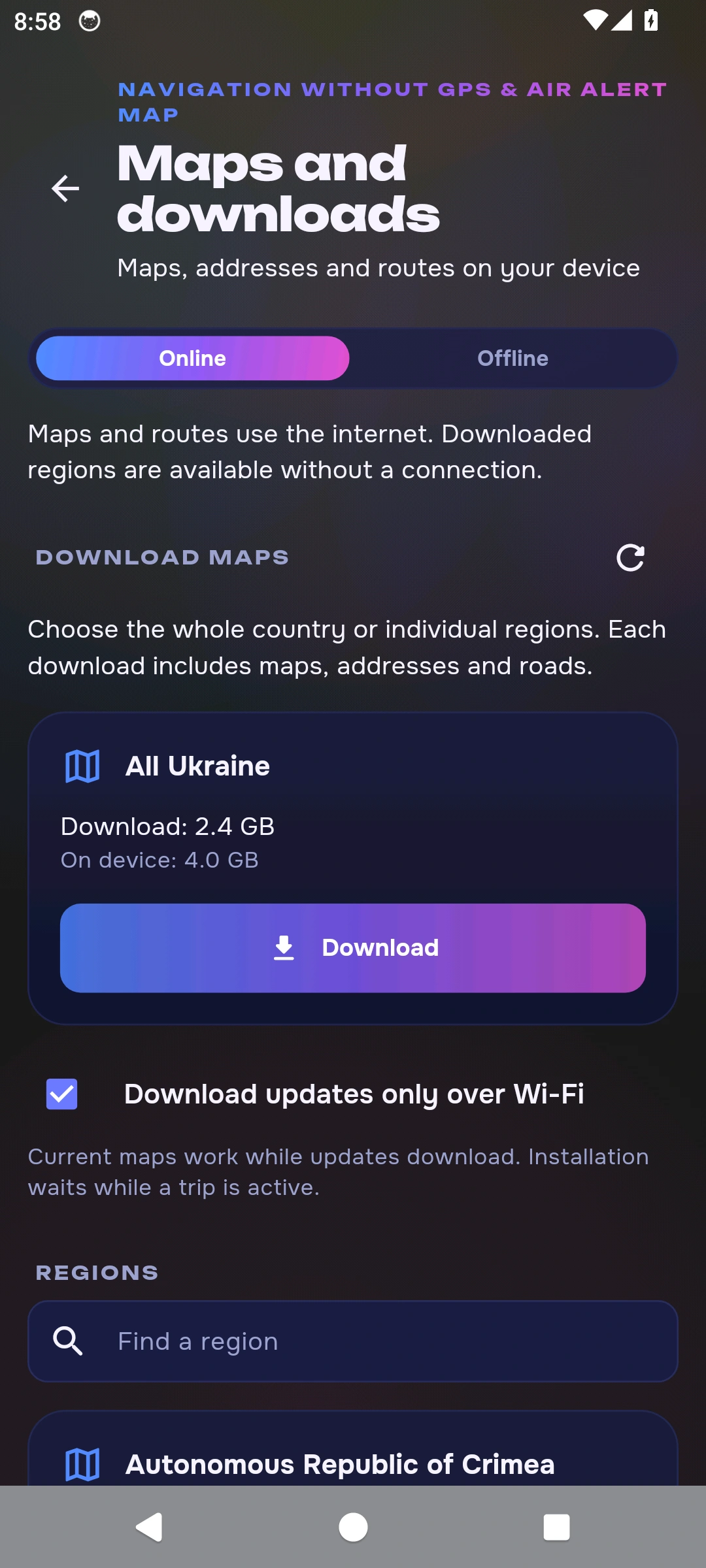
Open More → Navigation and maps → Maps and downloads, or tap the download icon in the navigator. Download the regions you need before travelling. Check map and route readiness, then select offline mode.
All Ukraine
- Download
- 2.4 GB
- On your device
- 4.0 GB
Indicative package sizes from the 24 October 2026 catalogue. The app shows current sizes and available updates. Leave free storage for installation and routes across regions.
Regional maps
Questions about Android Auto
When will this feature be available?
The features in this new version await store approval and public release. The stores currently offer the previous version.
What do I need for Android Auto?
A compatible phone and Android Auto car system, the current app version and permissions requested by the system.
Can I navigate without internet?
Prepare every required map and test your route before leaving. New air alert updates require internet.
Where does speed come from without GPS?
In set-speed mode, you choose the speed yourself. This estimates movement; it is not verified vehicle telemetry.
Is this version available in the store now?
The new version described here awaits store approval. The download button may open the previous public release.
Get the app
The stores currently offer the previous version.
Requires a compatible Android phone and Android Auto system; check Android Auto requirements separately.
How navigation without GPS works
Maps: © OpenStreetMap contributors. Navigation is a guide and does not replace checking conditions around you.