Prepare before you lose your connection
Choose your maps
Download all Ukraine or every region along your route. Kyiv city and Kyiv region are separate packages.
Wait until installation finishes
Check download status and free storage. The package must be fully installed; starting the download is not enough.
Check your route offline
Select offline mode, find your destination and calculate the route before leaving. Save the places you will need.
Without internet does not always mean without GPS
When GPS works
Downloaded maps and routes do not need mobile internet. An available GPS signal can still help determine your location.
When GPS is unavailable too
Mark your location manually and check visible landmarks. The compass, steps or a set speed provide an estimate of movement.
Prepare your maps before you travel
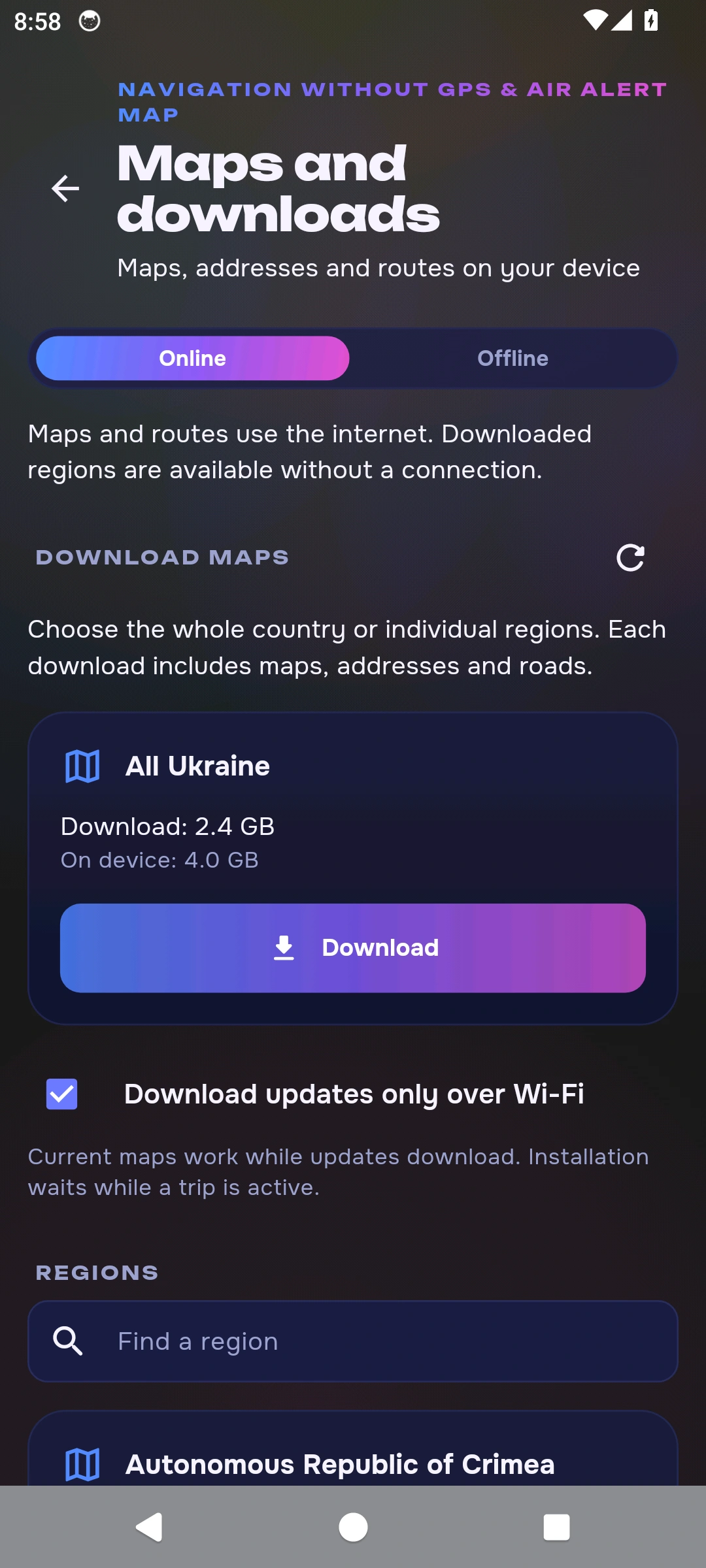
Open More → Navigation and maps → Maps and downloads, or tap the download icon in the navigator. Download the regions you need before travelling. Check map and route readiness, then select offline mode.
All Ukraine
- Download
- 2.4 GB
- On your device
- 4.0 GB
Indicative package sizes from the 24 October 2026 catalogue. The app shows current sizes and available updates. Leave free storage for installation and routes across regions.
Regional maps
What works without internet
When will this feature be available?
The offline navigation described here will be available after App Store and Google Play approval and release of the new app version. The stores currently offer the previous version.
Can I calculate a new route offline?
Yes. Downloaded packages contain road data for on-device routing. Prepare every region along your journey and test your route before leaving.
Do offline maps require GPS?
No. Maps can be opened without GPS. Automatic positioning needs a usable GPS signal; otherwise mark your location manually.
Will new air alerts arrive offline?
New messages and alert status updates need a connection. A saved status does not confirm current safety.
How do I update my maps?
Check available updates, their sizes and installed package status in Maps and downloads. Update before travelling over a stable connection.
Do I need regional packages after downloading all Ukraine?
No. The installed all-Ukraine package already covers the regions. Download separate packages when you only need part of the country.
Get the app
The stores currently offer the previous version.
For iPhone, iPad and Android. In Ukrainian and English.
How navigation without GPS works
Maps: © OpenStreetMap contributors. Navigation is a guide and does not replace checking conditions around you.